
CAD Scan combines powerful automation with intelligent checking to transform your CAD QA process.
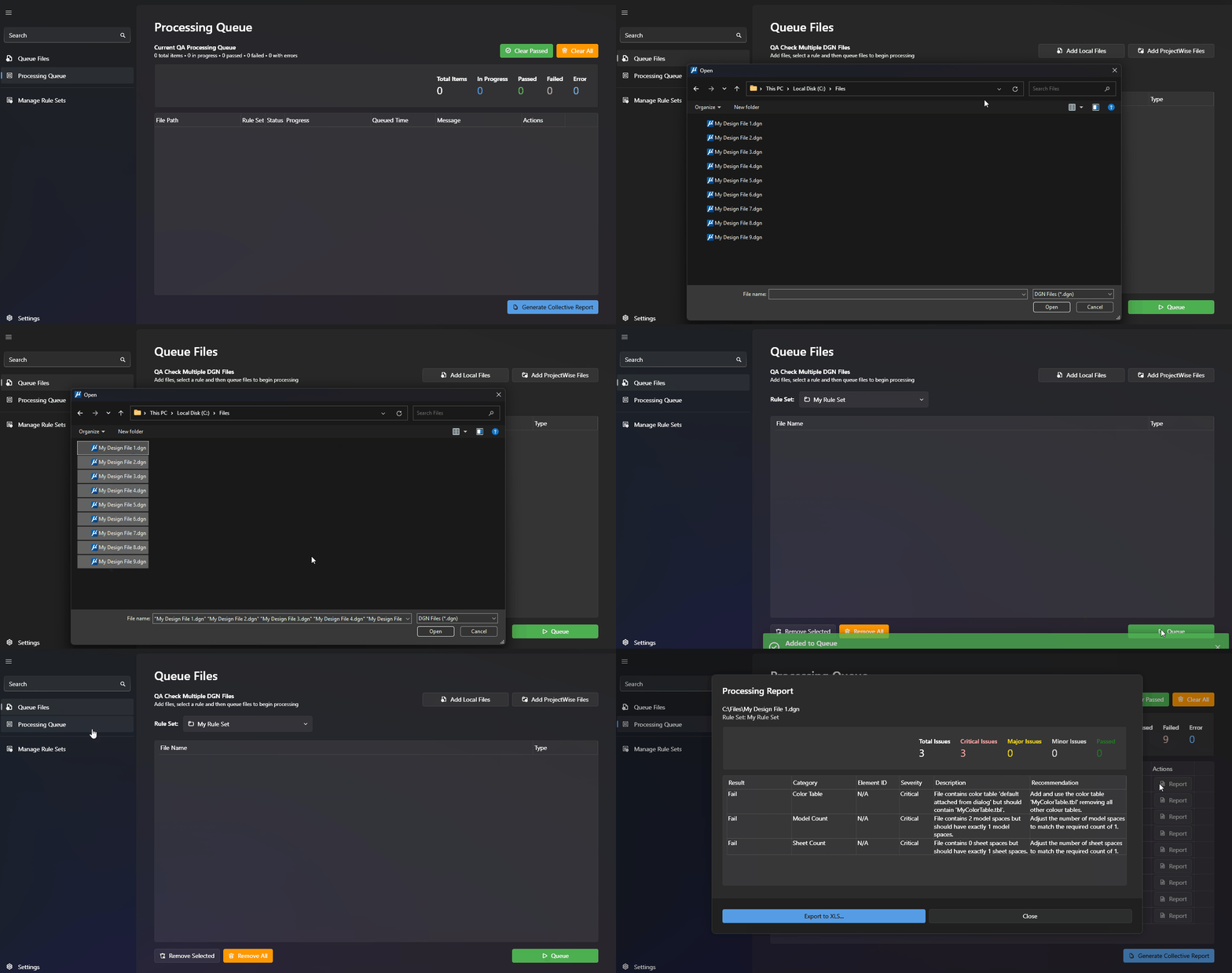
Process multiple files efficiently from ProjectWise or local directories.
Drag and drop your local and/or ProjectWise files and let CAD Scan handle the heavy lifting. You'll see detailed progress tracking and error reporting live on screen.
Create and manage project-specific Rule Sets with ease.
Clone and edit existing Rule Sets and deploy updates instantly across your team.
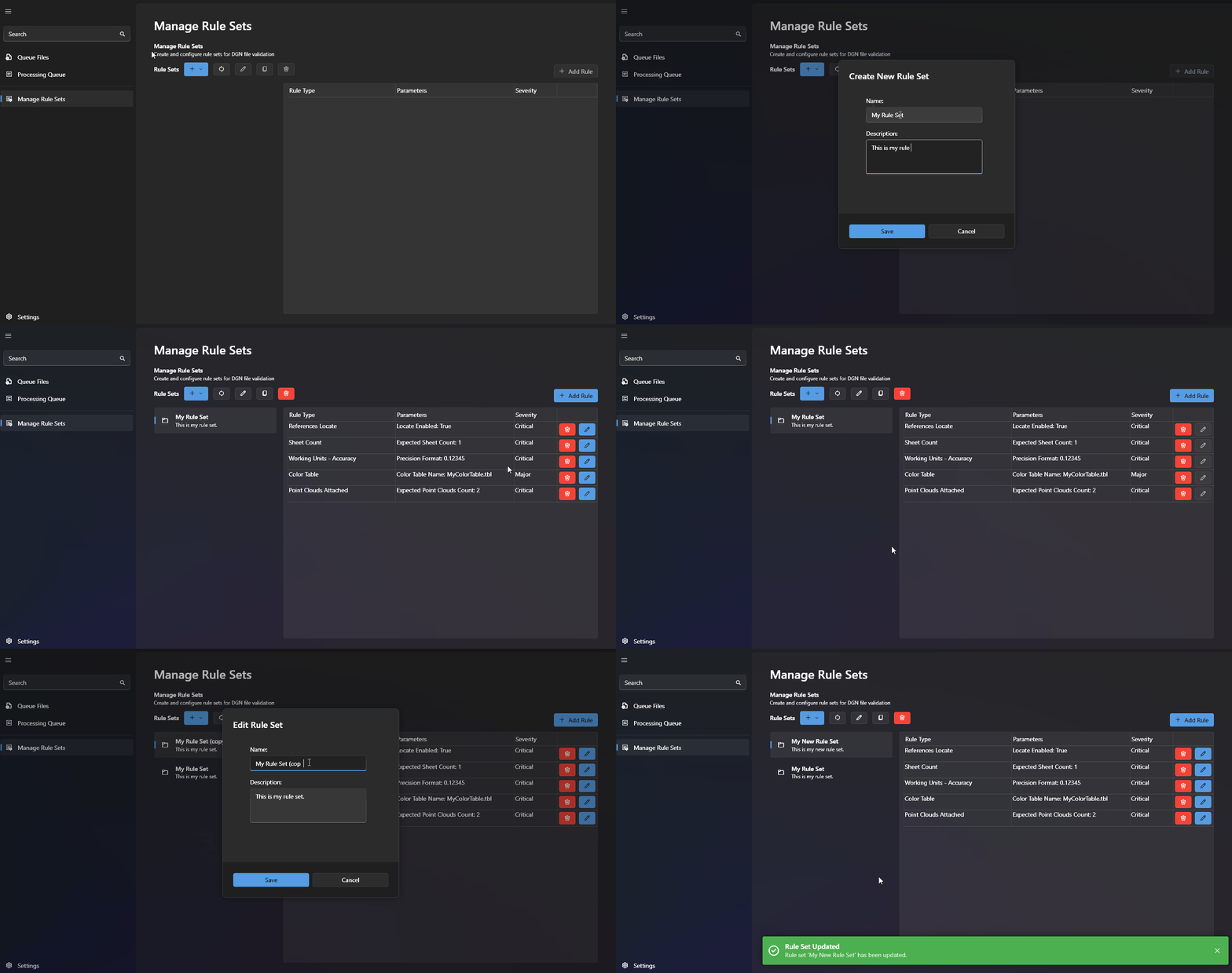
Create and manage project-specific Rule Sets with ease.
Clone and edit existing Rule Sets and deploy updates instantly across your team.
Share cloud-based rule sets across your organisation. Protect rule sets with permission-based access.
Create a centralised library of rule sets. Implement updates instantly.
Works natively with MicroStation and ProjectWise. No complex setup, no IT hassles, just powerful CAD QA that fits right into your existing workflow.
From level libraries to text styles, CAD Scan verifies every aspect of your drawings against your standards.
Get specific element IDs for any issues, making corrections quick and precise.